 TopPosts
Find Proven Viral Lead Magnet Ideas In Seconds
TopPosts sorts LinkedIn posts by engagement so you can see what your market already responds to before deciding what to create.
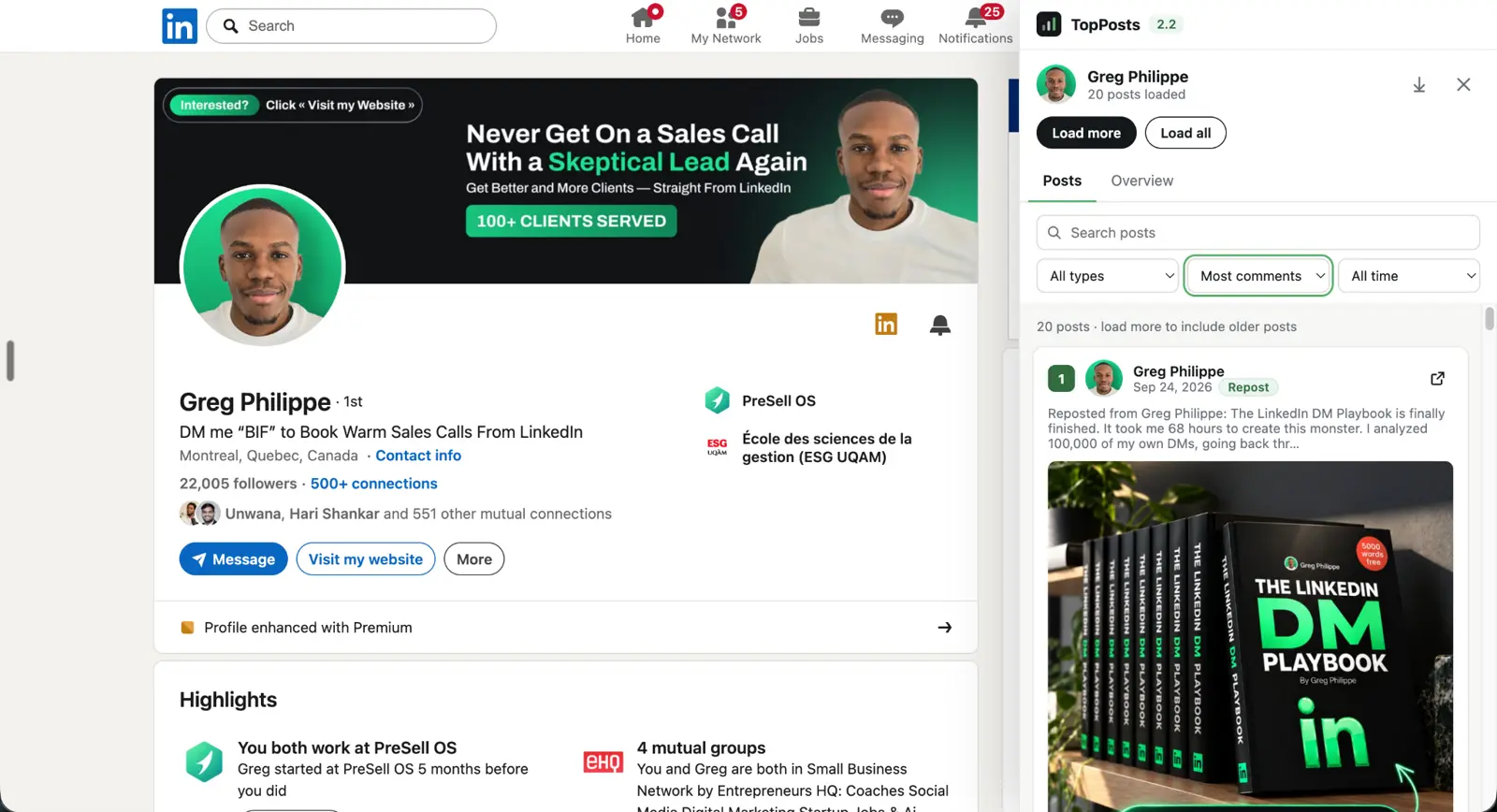
Stop Guessing What Lead Magnet To Create
The hard part isn't always making the lead magnet. It's knowing whether anybody wants it.
You can brainstorm 20 ideas, spend hours building one, publish it, and only then find out if it resonates.
Start with what people are already responding to.
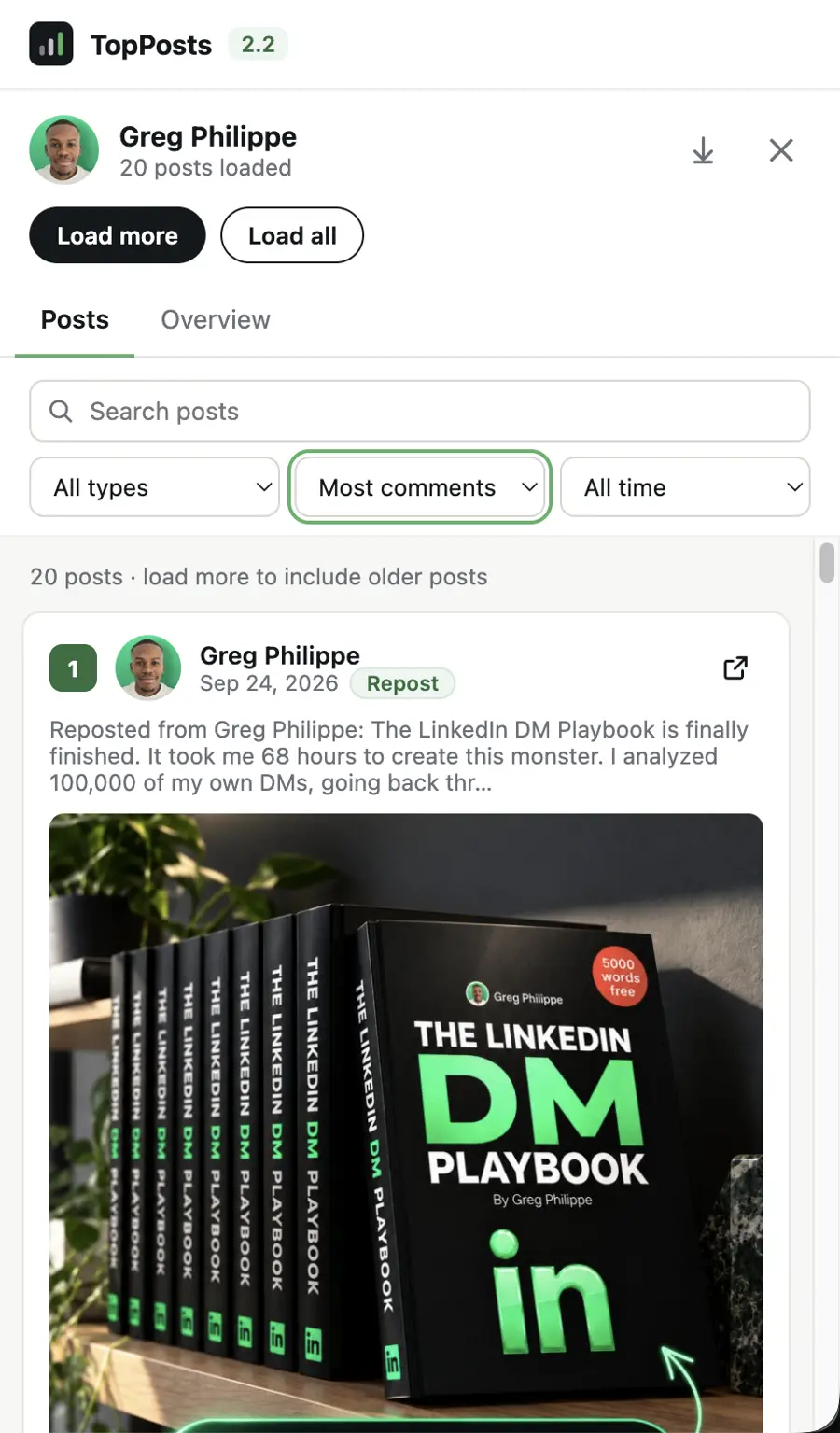
See What's Already Working Before You Create
Open a relevant LinkedIn profile and use TopPosts to bring its strongest posts to the top. Study the ideas, hooks, angles, positioning and calls to action.
The goal isn't to copy posts. It's to stop choosing lead magnet ideas blindly.
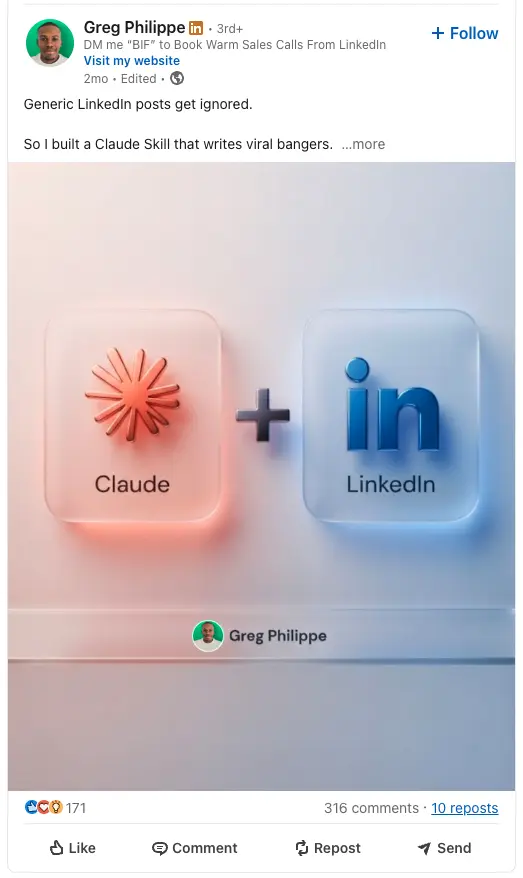
Inbound leads from one lead magnet post.
This is an actual LinkedIn lead magnet post from our business. It generated more than 200 inbound leads.
TopPosts is part of the research process we use before creating posts like this: find what people respond to, study the idea and angle, then build something relevant for our own audience.
An example of our result, not a promise of results from using the extension.
Find It. Study It. Build Your Own.
Get a better starting point for your next lead magnet.
Find the best posts
Visit a relevant profile and use TopPosts to surface the strongest-performing content.
Study the idea and angle
Look at the lead magnet, hook, angle, positioning and CTA behind the engagement.
Make it yours
Use the research to make something relevant to your audience, in your own voice.
A better way to explore what works.
TopPosts 2.0 gives you more ways to find the posts and patterns that matter to your research.
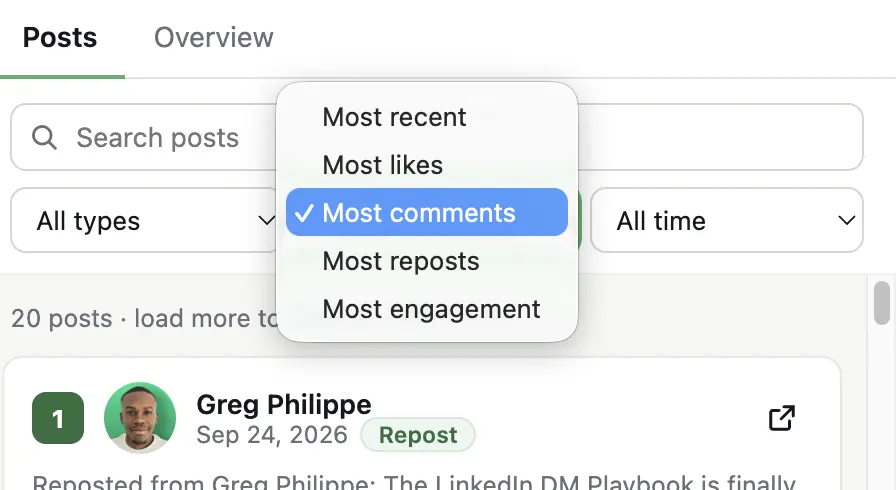
Search posts, narrow by post type or time period, and sort the results by the response you want to study.
- Filter posts by type and date range
- Sort by likes, comments, reposts, engagement or recency
- See an Overview of post activity and which formats perform
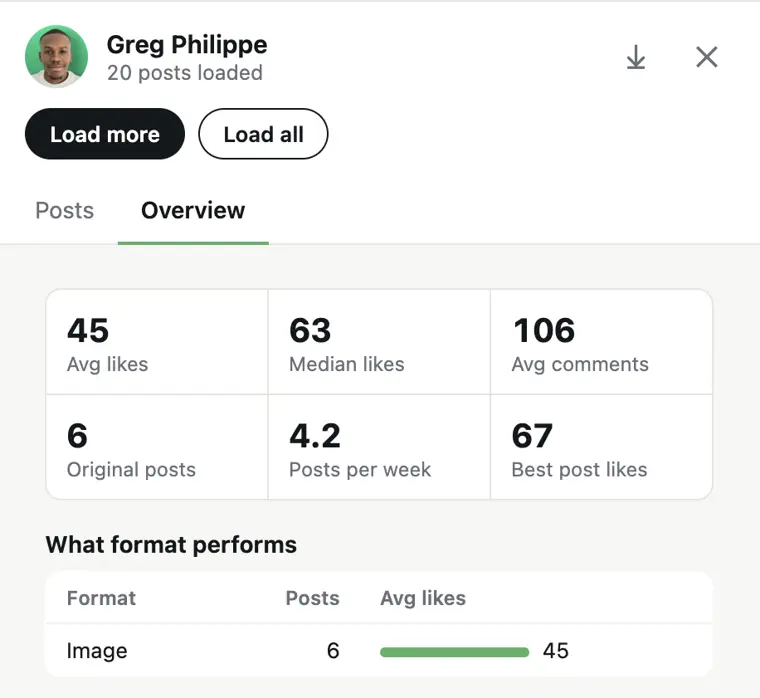
Find the signal in the posts.
Choose a post type and time period. Then rank posts by comments, likes, reposts, engagement or recency to see different sides of what performs.
Get the bigger picture.
The Overview tab shows post activity, likes, comments and a breakdown of which post formats perform on the profile you’re researching.
One question started TopPosts.
I wanted a faster way to research LinkedIn content and lead magnet ideas.
“What does my market already want?”
TopPosts grew out of that question. It helps you look at real responses before making your next content decision.
From access to research.
Get TopPosts 2.0
Purchase lifetime access with one payment.
Install the extension
Get access and add TopPosts to Chrome.
Open LinkedIn
Visit a creator or relevant profile in your market.
Find their top posts
See what performed best and start your research.
Make your next lead magnet decision with evidence.
Research what's working on LinkedIn before you invest the time in creating something new.
Lifetime access
- TopPosts Chrome extension
- Rank accessible LinkedIn posts by engagement
- Research lead magnet ideas, hooks and angles
- One payment. No monthly TopPosts subscription.
2.0 launch pricing ends October 4. Then TopPosts goes back to $147.
One payment. Lifetime access.
Before you get TopPosts.
Does TopPosts work on any LinkedIn profile?
TopPosts works while you browse LinkedIn profiles in Chrome and ranks the posts it can access on the profile you're viewing.
What exactly does TopPosts rank?
It ranks accessible LinkedIn posts by engagement so you can find the posts generating the strongest response and study the ideas, hooks and angles behind them.
Do I need LinkedIn Premium or Sales Navigator?
No. TopPosts works while you browse LinkedIn in Chrome; neither subscription is required just to use the extension.
Is this really lifetime access?
Yes. It's one payment for TopPosts lifetime access, with no monthly TopPosts subscription.
What happens when the 2.0 launch ends?
At the end of Sunday, October 4 (France time), the 2.0 launch offer ends. TopPosts goes back to its normal $147 lifetime price.
Find out what your market wants before creating your next lead magnet.
Get lifetime access for $97 during the 2.0 launch. When the launch ends, TopPosts goes back to $147.
Get lifetime access to TopPosts 2.0 for $147.
Get TopPosts 2.0 For $97 →Get TopPosts 2.0 For $147 →One payment. Lifetime access.